
I bought the LED Glasses Kit from Adafruit along with the LED Glasses, the LED Glasses Driver, and the 3 AAA batteries and it was an interesting project! I thought it was just going to be an easy assembly without any hitches. Fortunately, I was able to work around all the challenges, but it wasn’t as straightforward as I initially expected.
I started trying to attach the LED Glasses to the frames in the kit, but it turns out that the zip ties were slightly too large to fit through the frames. The Adafruit guide, which was for Adabox 20, indicated that this was the case and recommended using wire or string. Not a huge deal — just not totally straightforward.
Attaching the driver board was easy — just use the included zip ties and attach it to the frame as explained in the guide. Same with connecting all the components and the battery power.
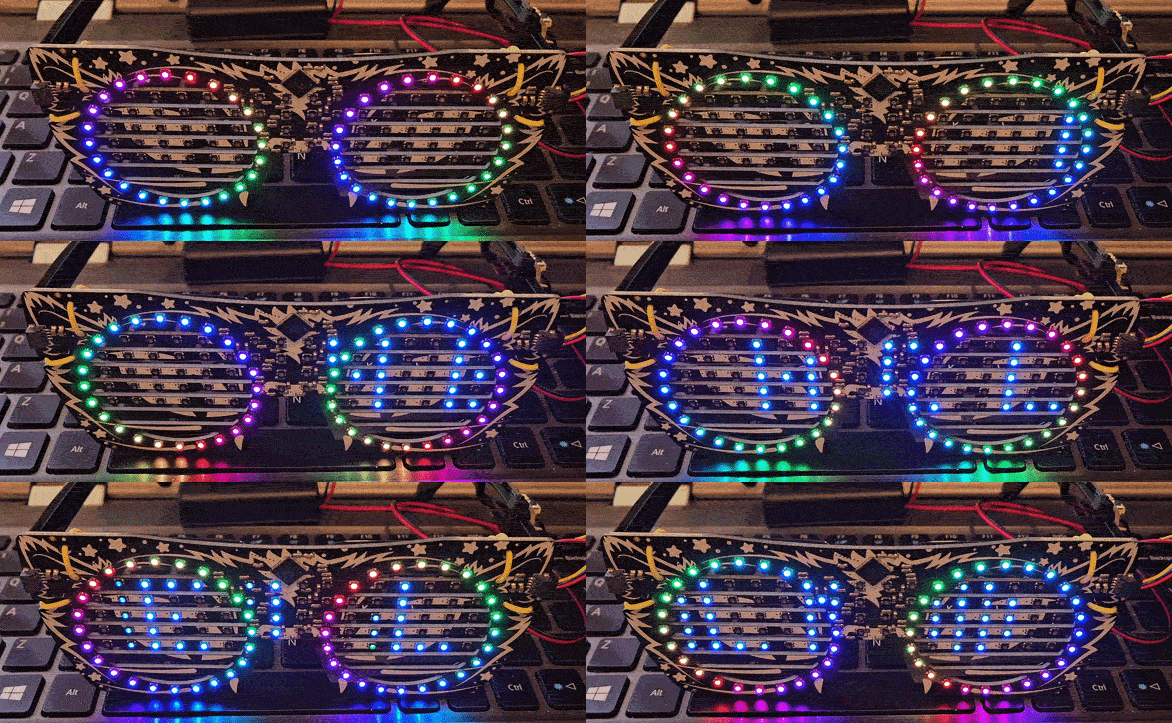
I powered them on and they had cool Adafruit scrolling text and rotating rainbow circles around each eye, so I was thinking that there would be a CircuitPython example similar capability. Spoiler alert, it wasn’t similar enough for my tastes. It’s ok though. That was maybe my favorite learning experience in this project. But first I’ll go through the programming process for the driver board.
The first steps are what I’ve come to expect from Adafruit boards. Install the CircuitPython firmware and then grab whatever example code they have in their guide. I tried the Blinky Eyes, which I really liked and the scrolling text example, which was good, but the font was a little blurry for my taste. I wanted it to be closer to the Adafruit demo text font, and I wanted the rings to have fun colors. So I tried to use the Sports Scroller example but couldn’t figure out how to modify that example to suit what I wanted. One of the main items was that there was Arduino example of a Bluetooth Message Scroller, which, now that I’m looking at it, I could have just flashed the uf2 file instead of trying to build my own. Anyway, I didn’t see that when I was going through my process, so I tried another route.
I turned to Claude Code, and gave it the following prompt:
Can you help me write some circuitpython code for the Adafruit led glasses that will (1) change color and (2) scroll text based on data received from the Adafruit Bluefruit Connect App?It built code that had some issues, but after a few iterations and pasting the errors back into Claude, I came out with exactly the result I was looking for! The end result was scrolling text from the Bluefruit LE Connect App with the ability to change the font color from the app, and the rotating rainbow circles around the eyes. Pretty fun!
Here’s the final code that Claude generated:
You’ll have to rename it from code.txt to code.py, since I can’t figure out how to upload python files here.
Here’s some more info in case you want to try the code out yourself.
The app that Claude built required these libs from CircuitPython:
adafruit_display_textadafruit_is31fl3741adafruit_ble
Other than that, you should be good to go!